



WhatsApp & Salesforce Integration
Sync WhatsApp Chats to Salesforce — Securely and Automatically
BuzzTree connects WhatsApp with Salesforce so your team never loses leads, messages, or deal context — without storing chats on external servers.
No credit card
Same process
Fast Setup
Turn WhatsApp into a Salesforce-Powered Sales Channel
Built for Sales Teams and Sales Leaders
For Sales Reps
- Close deals faster without switching to tools
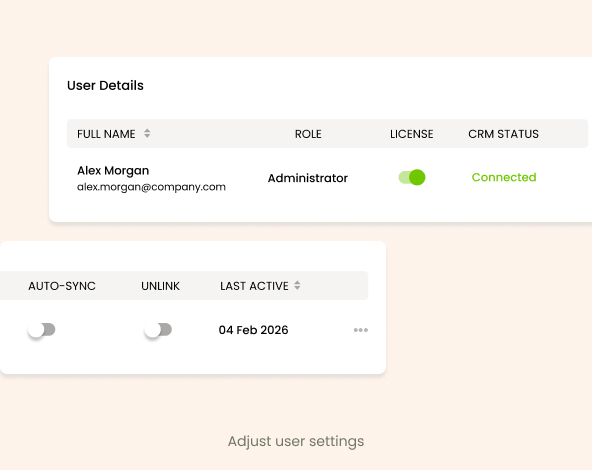
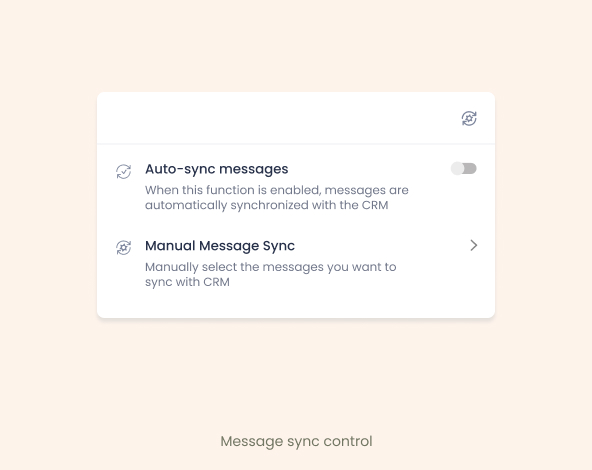
- Spend less time logging messages manually with auto-sync
- See Salesforce contact data inside WhatsApp
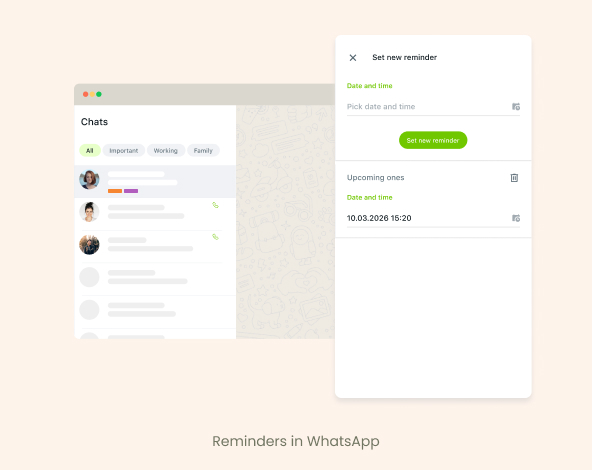
- Never forget a follow-up with built-in reminders
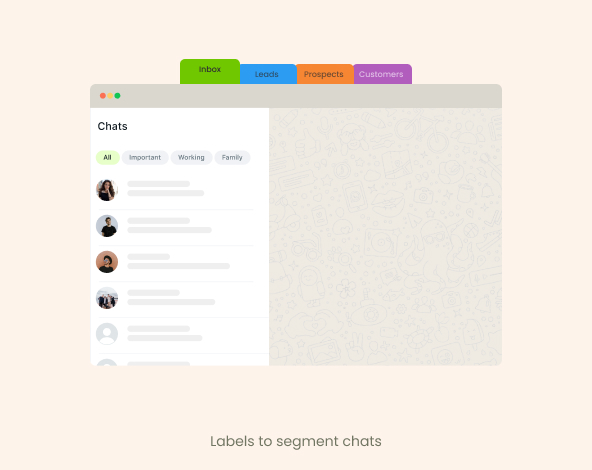
- Keep deal conversations organized with labels

For Sales Managers and RevOps
- Gain visibility and control over WhatsApp sales activity
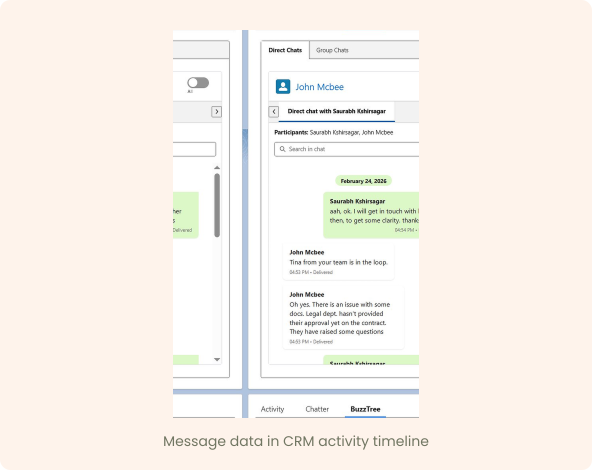
- Track deal communication right inside Salesforce – Contact, Account and Opportunity
- Prevent shadow sales and lost leads by enforcing mandatory message sync
- Maintain CRM data accuracy and audit trails
- Ensure customer history stays with the company for all communication – 1-on-1 chats and group chats.
Why WhatsApp + Salesforce Needs a Better Connection
Without integration:

WhatsApp conversations stay in private chats

Managers can’t review pipeline conversations

CRM records lack real communication history

Leads fall through the cracks

When reps leave, conversation history disappears
BuzzTree connects standard WhatsApp with Salesforce to make your CRM more complete, compliant, and dependable
Convinced of the benefits?

For Admins
Salesforce Integration Details

Supported Default Salesforce Objects
- Opportunities
- Tasks
- Notes
- Contacts
- Leads
- Accounts

Supported Content
- Text messages from 1-on-1 and group chats
- Media files — images and videos
- Attachments — .pdf, .xls, .doc

Deployment
- Official Chrome Extension distribution via Chrome Web Store
- Hassle free managed package deployment by our dev team
- Cloud infrastructure powered by industry-leading providers, geolocated within the EU
Security, Privacy & Compliance — Designed for Enterprise Teams

Data flow between BuzzTree and Salesforce using Salesforce APIs and webhooks

Connect your own S3 storage for file storing

GDPR-aligned privacy framework

End-to-end encrypted transmission between WhatsApp and BuzzTree

No WhatsApp chat storage on BuzzTree servers

Role-based access control

Secure authentication and permission management
Satisfied with data security and solution architecture?
Test out first hand in your Sandbox with Free Trial
Easy steps to set-up BuzzTree WhatsApp-Salesforce Integration
1
Subscribe to BuzzTree and login to admin dashboard
2
Deploy managed package and set-up integration
3
Admin adds users and configure settings in BuzzTree admin dashboard
4
Users install the BuzzTree chrome plugin and authorize the SF connection
5
WhatsApp-Salesforce integration is ready
Real-World WhatsApp – Salesforce Integration Use Cases
Sales & Business Development

Track WhatsApp deal conversations directly inside Salesforce
Account Management

Centralize customer WhatsApp history in one CRM timeline
Recruitment & HR

Securely store candidate conversations in Salesforce
Real Estate & Automotive

Handle high-volume WhatsApp leads without losing context
Agencies & Professional Services

Protect client relationships while keeping deal communication structured
Frequently Asked Questions
No. Messages sync directly to Salesforce — BuzzTree does not retain chat history.
Yes. BuzzTree supports WhatsApp Web for both account types.
Access and visibility follow your Salesforce org permission settings.
Our team will deploy the managed package and set-up your integration within couple of hours
Yes. Privacy and security are built into our core architecture.
Yes — access rights and permissions are fully customizable from BuzzTree admin dashboard.